artigo voltado ao mercado Brasileiro. Artigo atualizado em 25 de June de 2026 por João Daniel
Have you ever experienced the frustration of having Wi-Fi that doesn’t reach every corner of your house? I have. For a long time, my house had those infamous “dead zones”—places where the signal simply disappeared. It was impossible to watch a video in the back room or make a video call in the office without interruptions. That’s when I decided to test the TP-Link AX1800, a router that promises to cover the entire house with a strong and stable signal. In this article, I’ll share my complete experience and help you decide if this router can solve your connection problems.
What is the TP-Link AX1800 Router?
The TP-Link AX1800 Router is a home networking device that uses Wi-Fi 6 technology (also known as 802.11ax). Simply put, this means it’s a new generation of routers, designed to handle many devices connected simultaneously and provide faster, more stable internet throughout the house.
When I bought the TP-Link AX1800, I confess I was a little skeptical. After all, I had already tried other routers that promised the moon but delivered far less. But since my house has two floors and several rooms, I needed a solution that actually worked.
Why did I choose the TP-Link AX1800?
Before I talk about my experience, let’s understand what makes this router special:
Wi-Fi 6 technology
This is the real star of the AX1800. Wi-Fi 6 is not only faster than previous versions – it’s also smarter at distributing the signal. Imagine a road with more lanes, where several cars can pass at the same time without causing traffic jams. That’s more or less how it works.
With the increase in devices at home (cell phones, TVs, virtual assistants, cameras), having a router that can “talk” to them all at the same time is essential.
Speeds up to 1800 Mbps
The number “1800” in the router’s name comes from the sum of the speeds on both bands:
- 1200 Mbps on the 5 GHz band (ideal for streaming and gaming)
- 600 Mbps on the 2.4 GHz band (best for devices located further away)
For those unfamiliar with these numbers, it’s important to know that this is a very high speed for home use. To give you an idea, to watch Netflix in 4K, you only need 25 Mbps.
expanded coverage
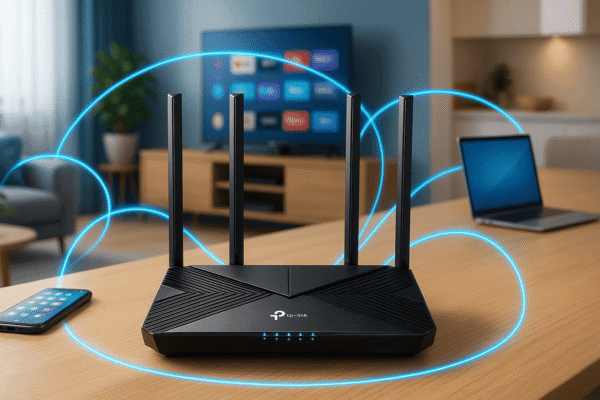
With four external antennas, the TP-Link AX1800 promises to bring signal throughout the house. And that’s precisely what interested me most when I decided to buy it.
My experience with the TP-Link AX1800
Unboxing and first impressions
When the router arrived, I was impressed with the design. Unlike those old, square, and bland routers, the AX1800 has a modern look, with smooth lines and a matte finish that matches any environment.
Inside the box was:
- The router
- A network cable
- The power adapter
- A quick installation guide
Installation: Is it as easy as they say?
I confess that I’m always worried about installing network equipment. I’ve had bad experiences in the past, wasting hours trying to understand confusing manuals.
But installing the TP-Link AX1800 really surprised me with its simplicity. Basically, what I did was:
- Plug the router into the power outlet.
- Connect the internet cable (coming from the ISP’s modem) to the WAN port on the router.
- Access the TP-Link Tether app on your mobile phone.
- Follow the instructions step by step.
In less than 10 minutes, my network was up and running. The app is very intuitive and guides you through the entire process.
Real-life coverage: are the dead zones gone?
This was my biggest concern. My house is approximately 120 square meters, with two floors and thick walls – a challenge for any router.
After a week of using the TP-Link AX1800, I can say that the difference has been impressive. Rooms where I previously had to use repeaters now have a direct signal from the router. The back bedroom, which was practically a “Wi-Fi no-go zone,” now has a strong enough signal to watch high-definition videos without interruptions.
I did a speed test at different points in the house:
- Room (where the router is located): 300 Mbps
- Master bedroom (5 meters from the router): 280 Mbps
- Office (upstairs): 220 Mbps
- Back room (the furthest point): 150 Mbps
Considering my internet plan is 300 Mbps, I was very pleased with these results.
And what happens when there are a lot of people online?
Another promise of Wi-Fi 6 is to handle many devices connected simultaneously better. To test this, I conducted a small experiment:
One Friday night, we gathered the whole family at home. In total, we had:
- 5 smartphones
- 2 notebooks
- 1 smart TV streaming Netflix in 4K
- 1 online video game
- 3 smart devices (Alexa, smart bulbs, etc.)
Everything worked without any noticeable freezing or speed drops. With my old router, this scenario would have been impossible – someone always had slow or unstable internet.
Features that won me over in the TP-Link AX1800
MU-MIMO technology
MU-MIMO stands for “Multi-User, Multiple Input, Multiple Output”. In simple terms: the router can send data to multiple devices at the same time, instead of handling one at a time.
It’s as if, instead of having a single employee in a store serving customers one by one, you had several employees working in parallel.
Beamforming
This technology allows the router to “understand” where the connected devices are and direct the signal specifically to them, instead of dispersing the signal uniformly in all directions.
To put it simply: it’s as if, instead of shouting for everyone to hear, the router speaks directly into the ear of each device, saving energy and improving signal quality.
Parental Control
As a father of two, this feature was crucial in my choice. The TP-Link AX1800 allows for easy setup:
- Internet access times for each device
- Filtering inappropriate content
- Time limitation
All of this is managed by the app in a very intuitive way.
Network for visitors
Another feature I use quite often is the guest network. It creates a separate Wi-Fi network for visitors to your home, without giving them access to your main network. This increases security and prevents your main password from being shared.
Energy saving: the detail nobody talks about.
One aspect that positively surprised me was the energy consumption of the TP-Link AX1800. It has a power saving mode that reduces consumption during periods of lower usage.
Compared to my previous router, I noticed a small reduction in my electricity bill. It may seem like a small amount, but since the router is on 24/7, these savings add up over the course of a year.
Security: Is your Wi-Fi protected?
Security is always a concern when it comes to home networks. The TP-Link AX1800 comes with:
- WPA3 encryption (the latest and most secure standard)
- Integrated firewall
- Automatic firmware updates
- VPN Server (for secure remote access to your network)
For those who don’t know much about digital security, I can assure you that these features make a difference. Especially WPA3, which makes life much more difficult for anyone trying to hack into your network.
Difficulties and negative points
It would be dishonest to only talk about the advantages. Therefore, I also want to share some points that I didn’t like so much:
The web interface is a bit complicated.
Although the app is quite user-friendly, the web interface (accessed through a browser) can be a bit confusing for those unfamiliar with technical terms. For advanced settings, I sometimes needed to consult online tutorials.
The price is a bit steep.
The TP-Link AX1800 isn’t the cheapest router on the market. However, considering its Wi-Fi 6 technology and all the features it offers, I believe it’s a good value for money. It’s an investment that will last for several years.
Some advanced settings require technical knowledge.
If you want to explore the full potential of your router, you’ll need to familiarize yourself with some technical terms. Things like “Port Forwarding,” “QoS,” and “DHCP” might seem daunting at first, but the router works perfectly well with the default settings.
TP-Link AX1800 vs. Competitors: Is it worth it?
Before buying the TP-Link AX1800, I did a lot of research and considered other models. To help you decide, I’ll briefly compare it to some competitors:
TP-Link AX1800 vs. Conventional Routers (Wi-Fi 5)
The most obvious difference is the technology. The AX1800’s Wi-Fi 6 offers better performance with multiple devices. In a modern home, where we have more and more connected devices, this difference is significant.
TP-Link AX1800 vs. Other Wi-Fi 6 Routers
Compared to other Wi-Fi 6 models, the AX1800 offers a good balance between price and features. There are more expensive models with higher speeds (such as the AX3000 or AX6000), but for most homes, the AX1800 offers more than enough.
TP-Link AX1800 vs. Mesh Systems
Mesh systems are great for very large homes or homes with many thick walls. They work with multiple access points spread throughout the house. The advantage of the AX1800 is that, for medium-sized homes (up to 150m²), a single unit may be sufficient, making it cheaper than a complete mesh system.
Who is the TP-Link AX1800 suitable for?
After almost six months of using the router, I can say that it is ideal for:
- Families with multiple connected devices
- Medium-sized homes (up to 150m²) with Wi-Fi coverage problems
- For those who work from home and need a stable internet connection for video calls.
- Gamers who need low latency
- Those who watch a lot of high-definition streaming content.
If you identify with any of these profiles, you will likely benefit from the advantages of the TP-Link AX1800.
How to buy the TP-Link AX1800 at a discount
If you’re interested in routers and thinking about buying one, I have good news! I found some links with special discounts:
I always recommend buying from official stores or large marketplaces that offer adequate warranties and support.
Basic settings to further improve your Wi-Fi.
Finally, I want to share some tips I’ve learned that have helped me further optimize the performance of my TP-Link AX1800:
Ideal positioning
The location where you place your router makes a huge difference. Here are some guidelines:
- Position the router in the center of the house, if possible.
- Keep it elevated (on top of a piece of furniture, for example).
- Avoid placing it near thick walls, large mirrors, or electrical appliances.
- Keep the antennas in a vertical position.
Firmware update
Firmware is the software that controls the router. TP-Link releases updates regularly, with performance and security improvements. In the Tether app, you can check for and install these updates with a simple tap.
Less congested channels
Routers operate on “channels,” and some may be more congested than others in your vicinity. The TP-Link AX1800 has an automatic channel selection function, but you can also change it manually if you notice interference.
Conclusion: Is the TP-Link AX1800 worth the investment?
After all this analysis, I’ve come to the conclusion: yes, the TP-Link AX1800 was worth every penny for me. The improvements in coverage, speed, and stability of my home network were substantial.
If you’re experiencing problems with your current Wi-Fi – whether it’s speed, range, or the number of connected devices – this router might be the solution you’re looking for.
It’s true that it’s not the cheapest model on the market, but when I think about the time I wasted with unstable connections and the frustration of not having internet in every corner of the house, I consider it to have been a great investment.
What impressed me most was how it manages to maintain speed even in areas further away from the house. And, for me, being able to work or watch a movie without interruptions is priceless.
Key points about the TP-Link AX1800
- Wi-Fi 6 technologyBetter performance with multiple connected devices.
- High speedUp to 1800 Mbps combined (1200 Mbps on 5GHz + 600 Mbps on 2.4GHz)
- expanded coveragePowerful antennas that carry the signal throughout the house.
- Easy installationAn intuitive app that guides you through the entire process.
- Security featuresWPA3, firewall and other important protections
- Parental controlTools for managing children’s internet access
- Energy savingOperating modes that reduce power consumption.
- Good value for money.An investment that should last several years.
Have you ever had problems with Wi-Fi at home? Are you thinking about replacing your current router? Share your experience in the comments!
Autor: João Daniel é formado em Gestão de Sistemas de Informação, com formação técnica em Telecomunicações. Atua como desenvolvedor de sites e gestor de hospedagem, unindo conhecimento técnico e visão estratégica para entregar soluções digitais completas. Com experiência em infraestrutura web e desenvolvimento front-end/back-end, João oferece suporte personalizado para empresas e profissionais que buscam presença digital sólida, segura e eficiente. Apaixonado por tecnologia, está sempre em busca de inovação, performance e usabilidade.